How to Find Long Search Queries with Regex in Google Search Console (Beginner’s Guide)
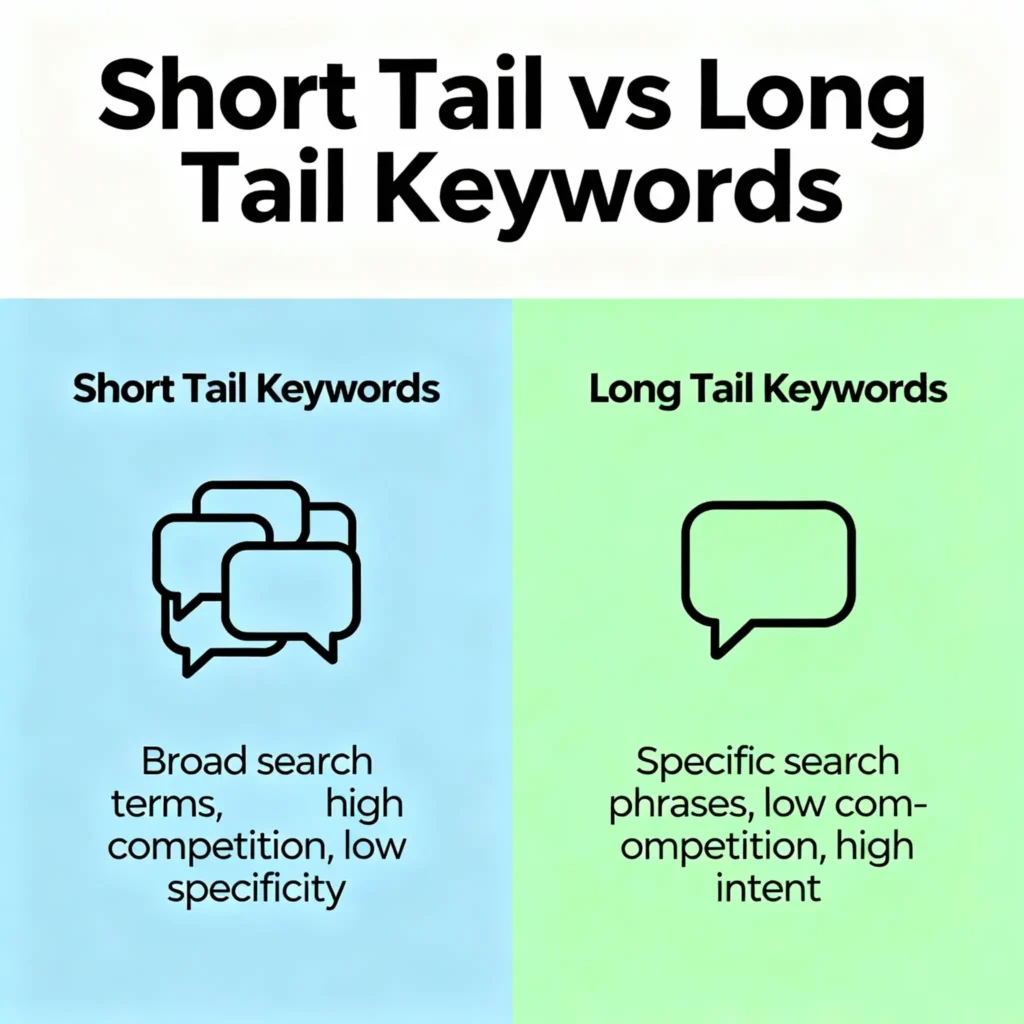
Imagine knowing exactly what people type into Google before they land on your website. Some people search with short words like “shoes.” Others type long, detailed phrases like “best running shoes for flat feet under 3000.”
Those longer phrases are called long-tail queries. They’re powerful because they usually show stronger intent and are easier to rank for.
In this guide, learn how to find long search queries in Google Search Console (GSC) using a simple trick called regex. Don’t worry, everything is explained in easy language with examples and steps.

What Are Long-Tail Queries?
Long-tail queries are search phrases with more words and details. People use them when they know what they want.
Examples:
- “how to bake chocolate cake without eggs”
- “best budget phone with good camera 2025”
- “digital marketing course for beginners online free”
Why long-tail queries matter:
- They’re less competitive (easier to rank)
- They show strong intent (closer to buying or taking action)
- They bring more qualified traffic to your site
Quick Definitions (Simple and Clear)
- Google Search Console (GSC): A free Google tool that shows how your site performs in search
- Query: What users type into Google
- Regex (Regular Expression): A tiny pattern or code used to filter text. In GSC, it helps find queries that match certain rules, like “queries with 5+ words”
Where to Find Queries in Google Search Console
- Open Google Search Console
- Go to Performance (Search results)
- Click the “Queries” tab to see what people searched for before clicking your site
What Is Regex in GSC and Why Use It?
Regex is a way to search using patterns, not just exact words. With regex, you can say, “Show me queries that have 5 or more words.” This helps you find long-tail queries quickly.
Think of regex like a smart filter that only lets certain shapes pass through.
How to Find Long Queries with Regex (Step-by-Step)
Goal: Find queries with 4, 5, or more words (long-tail)
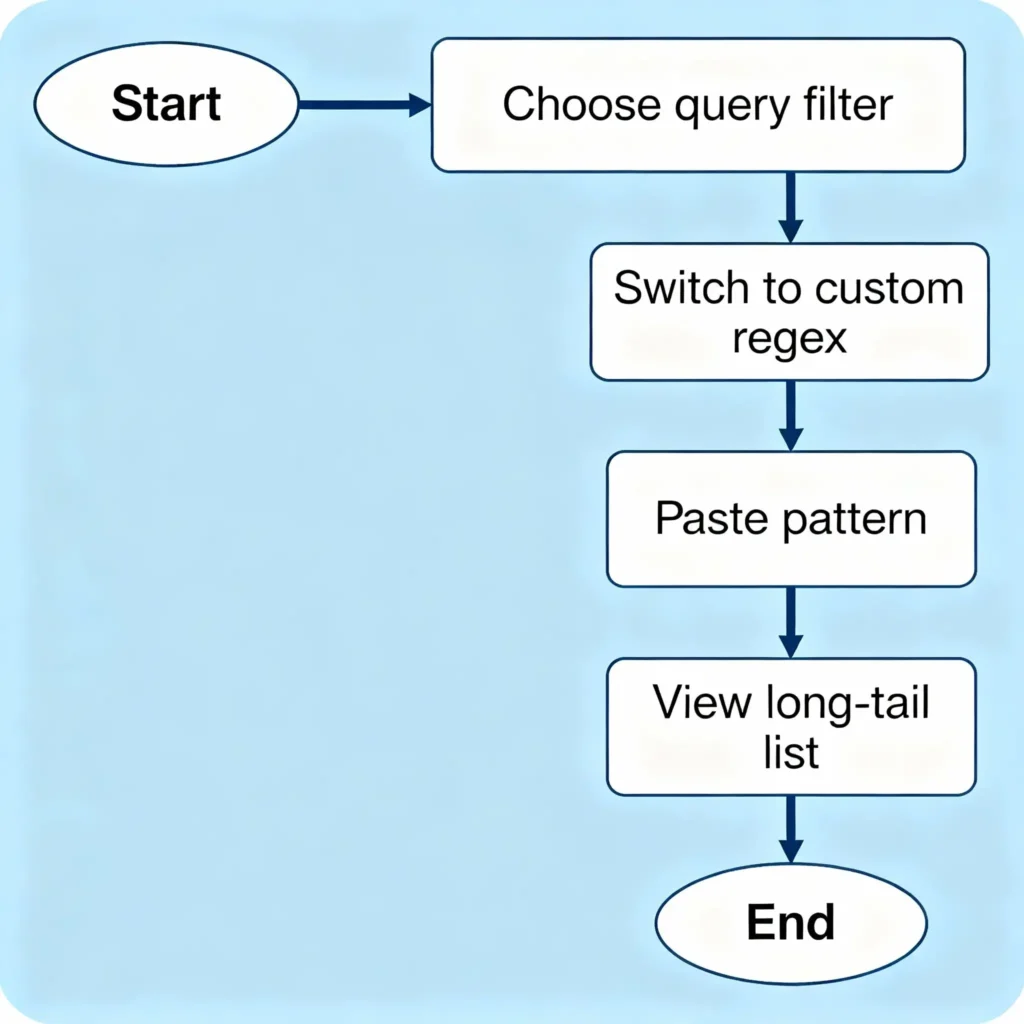
Step 1: Open Performance > Search results > Queries
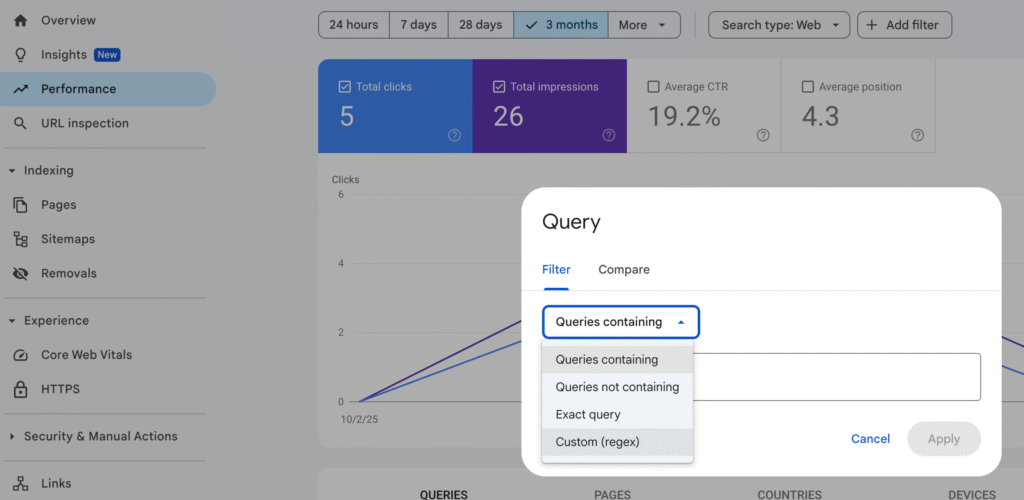
Step 2: Click the “+ New” filter above the chart
Step 3: Choose “Query”
Step 4: Change “Filter” to “Custom (regex)”
Step 5: Paste a regex pattern (see below)
Step 6: Click Apply
Copy-and-paste regex patterns:
- 4+ words (common long-tail):
^(\S+\s+){3,}\S+$ - 5+ words (more specific):
^(\S+\s+){4,}\S+$ - 6+ words (very specific):
^(\S+\s+){5,}\S+$ - 13+ Words (highly specific): ^\S+(?:\s+\S+){12,}$
What this means:
\S+matches “a chunk of characters” (like a word)\s+matches “spaces”{3,}means “repeat at least 3 times”- Together, these patterns find queries with at least 4, 5, or 6 words
Beginner tip: Start with 4+ words to get more results, then try 5+ for higher intent.
Real-Life Examples You’ll See
After applying 5+ words regex, you might find queries like:
- “how to start affiliate marketing with no money”
- “best digital marketing course for beginners online”
- “how to use regex in google search console”
What To Do With These Long-Tail Queries
- Create content: Write a blog post that directly answers the query
- Improve existing pages: Add FAQs, headings, or examples that match the query
- Optimize titles and meta descriptions: Use natural language to match user intent
- Build internal links: Link related pages around the long-tail topic to help rankings
Side-by-Side Comparison: Short vs. Long-Tail Queries
| Feature | Short-Tail (e.g., “shoes”) | Long-Tail (e.g., “best running shoes for flat feet”) |
|---|---|---|
| Search Volume | High | Medium to Low |
| Competition | High | Lower |
| Intent | General | Specific |
| Conversion Likelihood | Lower | Higher |
| Content Strategy | Broad topics | Detailed, helpful answers |
How to Combine Regex with Other Filters
To get better insights, add more filters in GSC after using regex for long queries.
Ideas:
- Search type = Web vs. Video vs. Image (see what works best)
- Country filter (focus on your target market)
- Date range (compare last 28 days vs. previous period)
- Page filter (find which pages already attract long-tail queries)
Pro tips:
- Use “Compare” date ranges to see growth
- Sort by Clicks to find “what already works”
- Sort by Impressions to find “opportunities”
Troubleshooting: If Your Regex Doesn’t Work
- Make sure “Custom (regex)” is selected, not “contains”
- Remove extra spaces at the start/end of the pattern
- Try reducing the word count (e.g., from 6+ to 4+)
- Switch devices (Desktop vs. Mobile) to see different behavior
Extra Regex Patterns for Special Cases
- Queries that include a question word:
^(?=.*\b(who|what|where|when|why|how)\b).+$ - Queries with numbers (e.g., years, prices):
^(?=.*\d).+$ - Queries mentioning “near me”:
^(?=.*\bnear me\b).+$
How to Turn Long Queries into Content
- Group similar queries: Put related searches together
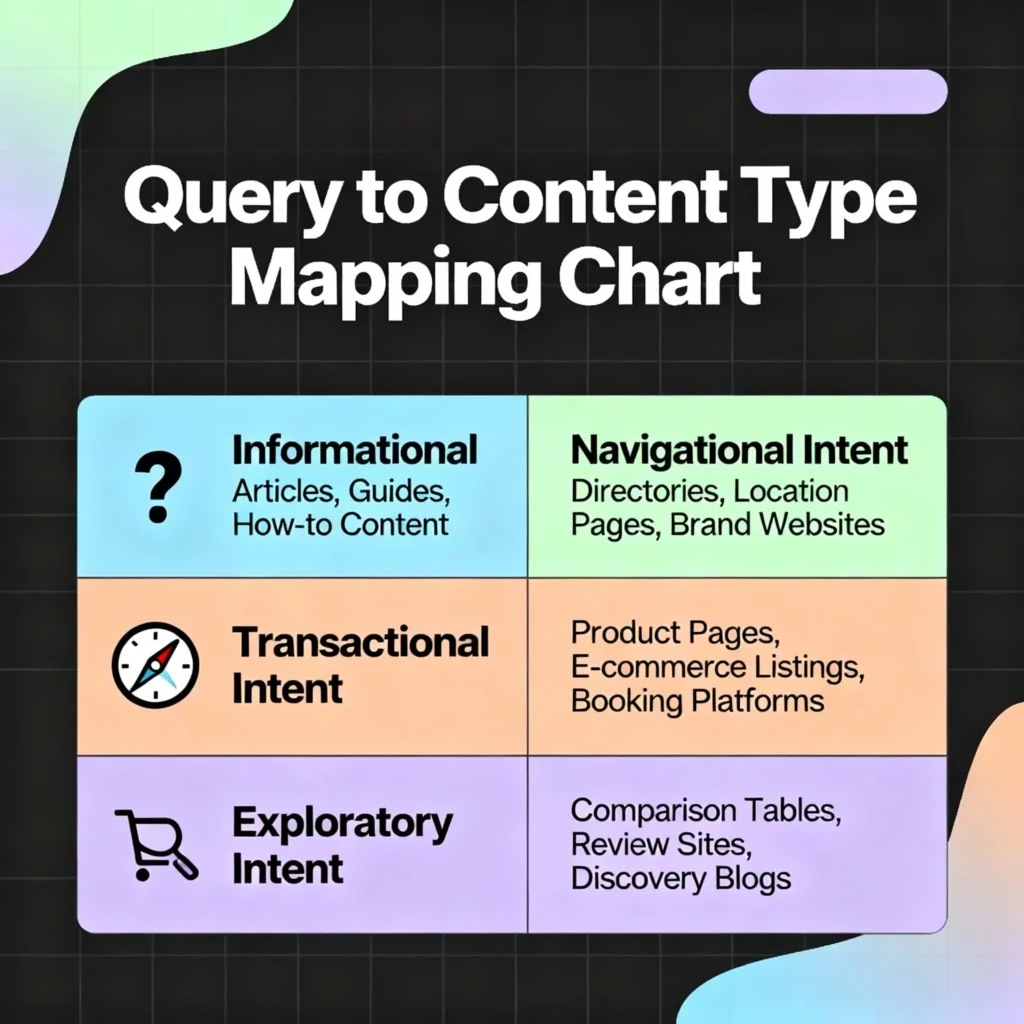
- Map to content types:
- “How to…” → Tutorials or guides
- “Best…” → Comparisons or lists
- “Cost/price…” → Pricing pages or explainers
- “Near me…” → Local landing pages
- Add natural language answers: Use the exact words people use
- Include FAQs: Add 3–5 short questions at the end with quick answers
Beginner-Friendly Action Plan (Do This Today)
- Step 1: Open GSC → Performance → Queries
- Step 2: Add Query filter → Custom (regex)
- Step 3: Paste 4+ words pattern:
^(\S+\s+){3,}\S+$ - Step 4: Sort by Impressions → note top 10 queries
- Step 5: Check which pages rank for them
- Step 6: Improve those pages:
- Add a matching H2/H3 heading
- Answer the query in 2–3 short paragraphs
- Add a quick FAQ section
- Include 1 internal link to a related page
- Step 7: Create one new blog post targeting a top long-tail query
- Step 8: Re-check results in 2–4 weeks
Practical Tips to Get Better Results
- Keep language simple: Match the user’s wording
- Add examples and screenshots for clarity
- Update pages instead of creating too many new ones
- Use structured headings (H1, H2, H3) to cover related keywords
- Track progress: Compare last 28 days vs. previous period
- Don’t stuff keywords—write naturally for humans first

Common Mistakes to Avoid
- Using “Contains” instead of “Custom (regex)”
- Targeting only short, competitive keywords
- Ignoring pages that already get impressions
- Not updating old content to match new long-tail queries
Conclusion
Finding long-tail queries with regex in Google Search Console doesn’t have to be scary or complicated. With the simple patterns and steps in this guide, you now have the power to discover exactly what your audience is searching for and create content that matches their needs perfectly.
Remember, long-tail queries are your secret weapon for easier rankings and better conversions. Start with the 4+ word pattern today, pick your top 5 queries, and improve one page this week. Small, consistent actions lead to big SEO wins over time.
The best part? This strategy works for any website, whether you’re just starting out or looking to grow your existing traffic. Keep practicing, stay curious, and watch your search visibility improve month by month.
Want help mastering SEO step by step? Join ILMA Academy 360‘s digital marketing courses and community. Learn from experts, practice with real examples, and get friendly support on your learning journey. Start today and grow your skills with confidence!